
Published: December 16, 2025
By Sarah Williams, Digital Nomad Writer
Sarah has been a full-time freelance writer since 2018, contributing to Forbes, Entrepreneur, and HubSpot.
?Are you ready to turn your design interest into a steady freelance UX/UI practice?

How Do I Break Into Freelance UX/UI Design?
You’re asking a smart question. Freelance UX/UI design combines creative problem solving, user empathy, and practical delivery — and it’s very doable whether you’re switching careers, building a side income, or retiring and looking for meaningful, flexible work. This guide walks you through skills, tools, portfolio strategies, client-finding tactics, pricing, contracts, and a realistic plan to get your first clients.
Why Choose Freelance UX/UI Design?
Freelance UX/UI design lets you control your schedule, choose projects that matter to you, and apply both technical and human-centered skills. If you like solving real problems and communicating solutions visually, freelancing gives you variety and autonomy.
You can tailor workload and project length to your life stage. For retirees, that can mean part-time engagements, project-based work, or consulting that leverages decades of experience.
What Skills Do You Need?
Your foundation as a UX/UI freelancer includes a mix of research, design, interaction skills, and soft competencies. You don’t need mastery of everything on day one — but you should demonstrate process and results in your portfolio.
Core UX Skills
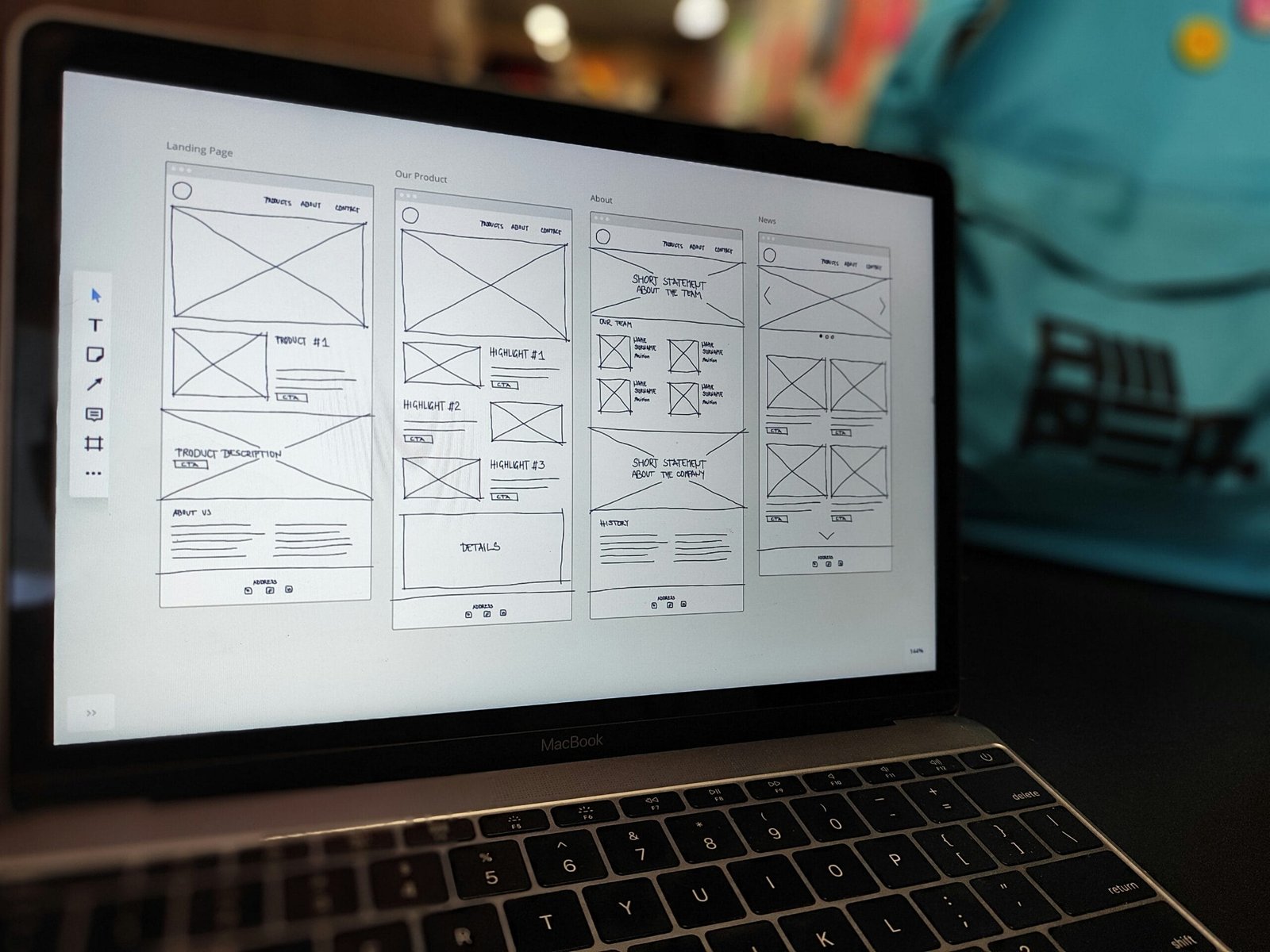
You should be able to run basic user research, synthesize insights, and create simple user flows and wireframes. These skills prove you understand user needs and can translate them into actionable designs.
Common UX tasks include conducting interviews or surveys, mapping journeys, and performing usability testing. Each contributes to design decisions you can show clients.
Core UI Skills
Visual design matters: layouts, typography, color, visual hierarchy, and component design are crucial for UI. You’ll also want to produce high-fidelity mockups and interactive prototypes that stakeholders can click through.
UI skills help your work look polished and professional, improving client trust and conversion from proposal to paid work.
Interaction Design and Prototyping
Interactive prototypes communicate flow and behavior better than static screens. Learn to create clickable prototypes and micro-interactions so clients can feel the experience before development.
Tools like Figma and Adobe XD make prototyping accessible; understanding motion basics and transitions will set you apart.
Basic Front-End Familiarity
You don’t have to be a developer, but knowing HTML/CSS and basic responsive principles helps you communicate with engineers and set realistic expectations. It also helps when handing off designs and producing feasible specs.
Accessibility and Inclusive Design
Designing for accessibility increases audience reach and reduces risk for the client. Knowing basic WCAG principles and how to audit contrast, keyboard navigation, and semantic structure is a strong selling point.
Soft Skills
You need good communication, empathy, time management, and client-facing professionalism. Explaining design decisions, asking the right questions, and handling feedback efficiently differentiates successful freelancers.
Tools You Should Learn
You’ll spend most time in design and collaboration tools. Learn a few well and use them consistently.
- Figma — collaborative interface design and prototyping (industry standard).
- Sketch — still used in many places (Mac only).
- Adobe XD — prototyping and design from Adobe.
- Miro or FigJam — research, journey mapping, workshops.
- Notion, Google Docs — documentation and client deliverables.
- Maze, UserTesting — usability testing and remote research.
- Webflow — useful for building production sites without a developer (great for landing pages and portfolio demos).
- Slack, Zoom — client communication and meetings.
How to Build a Portfolio That Gets You Hired
Your portfolio is your primary sales tool. Clients hire you based on past work and visible thought process. Focus on case studies that show problem → process → outcome.
Include at least 3–6 case studies that demonstrate different skills: user research, interaction design, visual design, and measurable outcomes. For each case study, include the brief, your role, the process steps, deliverables, challenges, and results (metrics if possible).
Use this table to check your portfolio elements:
| Portfolio Element | Purpose | What to Include |
|---|---|---|
| Project summary | Quick overview | One-sentence problem + outcome |
| Role & constraints | Set expectations | Your role, team size, time, tools |
| Research & insights | Show rigor | Methods used, key insights, user quotes |
| Process artifacts | Build credibility | Wireframes, flows, prototypes |
| Final visuals | Demonstrate craft | High-fidelity screens with explanations |
| Outcomes & metrics | Prove impact | Conversions, time saved, satisfaction scores |
| Learnings | Show growth | What you’d change next time |
Best Freelance Projects to Start With (especially for retirees)
Choosing the right types of projects early on helps you build a portfolio, earn steadily, and maintain a comfortable pace. For retirees, projects that respect your time, leverage your life experience, and offer low-to-medium intensity are ideal.
Consider the following project types and why they suit you:
| Project Type | Why It’s Good for Starters/Retirees | Skills Required | Typical Time Commitment | Estimated Pay Range (per project) |
|---|---|---|---|---|
| Website/landing page redesign for local businesses | Local businesses need simple, effective sites. You can use your local network and offer in-person or phone meetings. | UI design, basic UX, Webflow/WordPress | 1–4 weeks | $500–$3,000 |
| Usability audits and reports | Audit work is scoped, short, and report-based — you analyze and provide prioritized fixes. | UX research, heuristics, reporting | 1–2 weeks | $250–$1,500 |
| Accessibility audits | Many sites need accessibility improvements; audits are high value and can be done on your schedule. | WCAG knowledge, testing tools | 1–3 weeks | $300–$2,000 |
| Design templates and UI kits | Create reusable templates for websites, newsletters, or dashboards and sell them once. | Visual design, components, Figma | Part-time project | $50–$1,000+ (passive income) |
| Onboarding flows and UX copy fixes | Small, high-impact projects focused on conversion and clarity. | UX writing, flow mapping, prototyping | 1–3 weeks | $300–$1,500 |
| Email and marketing templates | Straightforward design tasks with big demand. | Visual design, HTML/CSS knowledge helpful | 1 week | $100–$800 |
| Productized micro-services (e.g., 2-hour usability tests) | Fixed-scope services are repeatable and time-friendly. | Testing, reporting | Hours–Days | $100–$500 per micro-service |
| Workshops and training for small teams | Teach basic UX/UI practices to nonprofits or small businesses. | Presentation, facilitation | Single session | $200–$1,200 |
| Mentoring and coaching | Provide career or portfolio reviews — excellent for experienced retirees. | Experience, communication | Ongoing | $30–$200/hour |
| Pro bono for community groups | Builds portfolio + local goodwill; great for getting referrals. | Varies | Varies | $0 (strategic value) |
How to Find Your First Clients
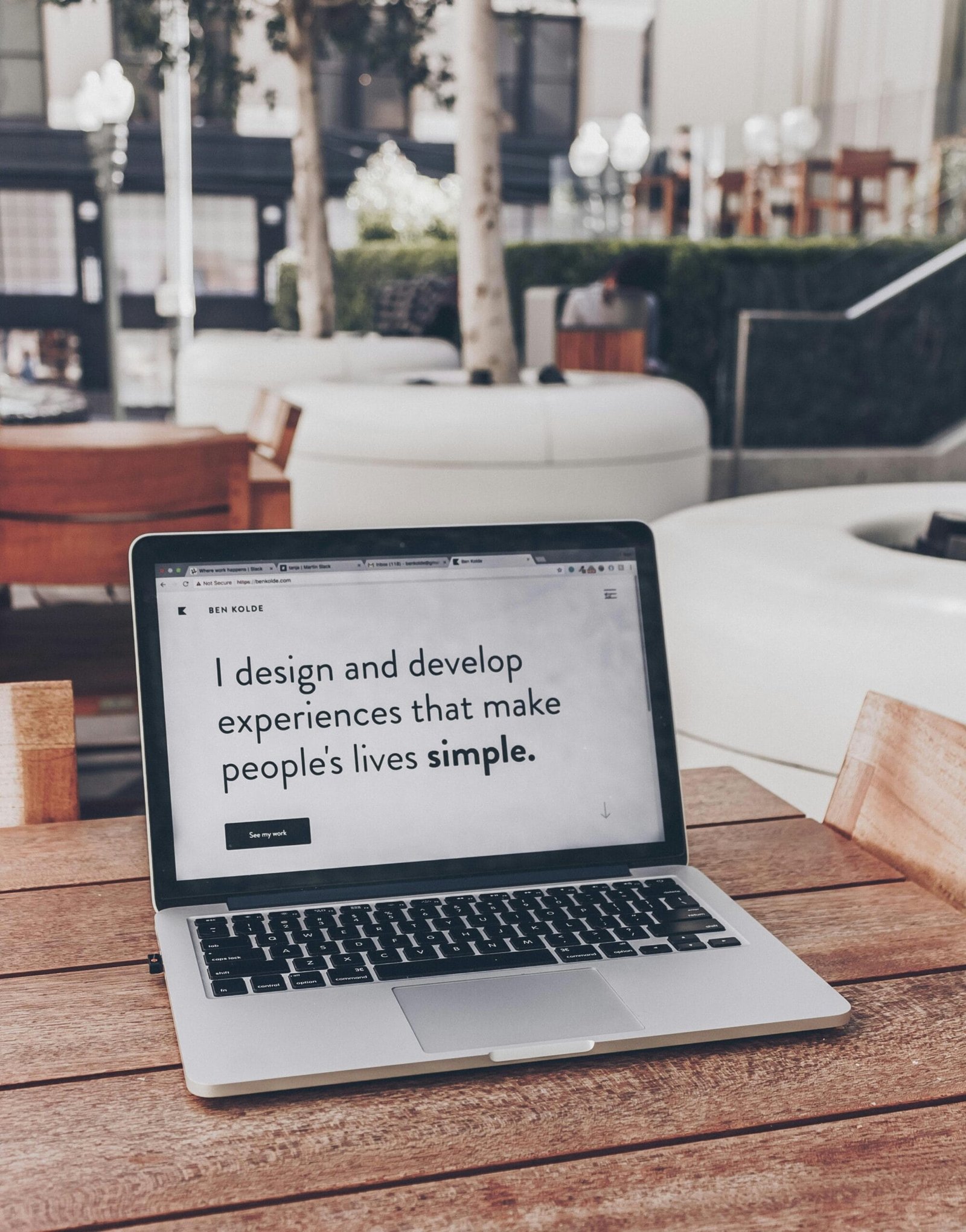
Finding clients requires a mix of tactics. Begin with low-friction sources that build momentum: your network, local businesses, and online platforms.
- Start with people you know: friends, former colleagues, community organizations. Personal introductions convert at a high rate.
- Local small businesses: many need simple website or usability improvements. A short, friendly audit offer can open doors.
- Freelance marketplaces: Upwork, Fiverr, and specialized platforms like PeoplePerHour can help get initial paid work. Treat early projects as portfolio-building.
- LinkedIn: publish short case studies and comment on posts in your niche. Reach out politely to companies with a brief, helpful observation.
- Partnerships with developers: contact local developers and agencies that need design partners for projects.
- Community groups and clubs: many organizations need digital help — offer a paid small project to build credibility.
- Referrals: ask satisfied clients for introductions and reviews.
Cold outreach scripts should be concise and personalized. Focus on a problem you can help solve and offer a clear next step (a short audit or call).
Example outreach template (short, personalized):
- “Hi [Name], I noticed [specific issue]. I can do a 1-page usability audit and list three quick fixes. Interested in a 30-minute call?”
Pricing and Packaging Your Services
Successful freelancers price for value and clarity. Choose a pricing model that fits your service and client:
- Hourly rates: good for open-ended work or support; track hours carefully.
- Fixed-price projects: better for defined scopes and client comfort.
- Retainers: ideal for ongoing design needs and predictable income.
- Productized offers: fixed-scope, repeatable services (e.g., “Usability audit + prioritized list” for $350).
Use the following table for starter pricing packages to adapt based on your market and experience:
| Package Name | What’s Included | Time Estimate | Starting Price |
|---|---|---|---|
| Quick Audit | UX/UI review + prioritized list (PDF) | 4–8 hours | $200–$500 |
| Landing Page Design | Research + wireframe + UI + Webflow/WordPress handoff | 1–3 weeks | $800–$2,500 |
| Email Campaign Template | Design + responsive HTML | 1 week | $150–$700 |
| Monthly UX Retainer | 5–10 hours of design/research per month | Ongoing | $500–$2,000/month |
| Workshop | 2-hour session + prep + takeaway materials | 1 day | $200–$1,200 |
How to calculate your rate:
- Estimate your desired annual income.
- Subtract typical expenses (taxes, tools, healthcare if needed).
- Divide by billable hours per year (realistic: 800–1,200 hours).
- Adjust for market, value, and niche expertise.
Always state payment terms: deposit (e.g., 30–50% upfront), milestone payments, final payment on delivery, accepted payment methods, late fees.

Contracts, Proposals, and Invoicing
Protect yourself and set expectations with simple contracts and clear proposals. Don’t skip this — contracts prevent misunderstandings and payment disputes.
Key contract elements:
- Scope of work (detailed deliverables).
- Timeline and milestones.
- Payment schedule and method.
- Revision limits and change request process.
- Intellectual property: when designs are transferred and if any stock assets are included.
- Termination terms and cancellation fees.
- Confidentiality and data handling if necessary.
- Signatures and effective date.
Proposals should be visual, concise, and outcome-focused. Use a cover page, scope, timeline, budget, and next steps. Close with a call to action (sign or reply to accept).
Invoicing:
- Use a simple system (FreshBooks, QuickBooks, Wave, PayPal invoices).
- Include invoice number, due date, description of work, and payment instructions.
- Follow up politely if payments are late.
If you’re retired and receiving pensions or benefits, consult an accountant about how freelance income affects taxes and benefits. Rules vary by country and region.
Time Management and Workflow for Freelancers
Create a repeatable project workflow to stay efficient and calm. Structure gives clients confidence and helps you pace work to match your energy.
Typical project phases:
- Discovery: brief, stakeholder interviews, goals.
- Research: audits, surveys, competitor review.
- Ideation: sketches, flows, wireframes.
- Design: UI screens and prototypes.
- Testing: simple usability tests and refinements.
- Handoff: specs, assets, and documentation.
- Support: post-launch tweaks.
Use an app (Trello, Asana, Notion) to track tasks and milestones. Block time for focused work and client communication. For retirees, scheduling consistent but limited work blocks (e.g., mornings only or 3 days/week) prevents burnout and preserves flexibility.

How to Transition from Corporate or Retired Life into Freelancing
Switching to freelance UX/UI is a process. Plan a phased transition to reduce risk and build confidence.
Steps to transition:
- Build a lightweight portfolio with case studies and at least one demonstrable live example.
- Start freelance work part-time or accept small local projects to test the market.
- Set financial goals for saving an emergency fund and covering slow months.
- Create a rate sheet and service packages before client conversations.
- Maintain continuity with healthcare, taxes, and other obligations if you’re retired — seek professional advice if needed.
- Build a routine and workspace that suits your pace.
If you’re retiring and want a gentler load, package services into short, fixed-scope offerings. That lets you say yes to interesting work without long-term commitment.
Upskilling: Where to Learn and Practice
You can learn and practice without expensive programs. Mix structured courses with self-directed projects.
Learning options:
- Free resources: Figma community files, YouTube tutorials, UX Collective posts, Nielsen Norman Group articles (for research fundamentals).
- Paid courses: Coursera, Interaction Design Foundation, Udemy, Springboard (mentorship-driven), General Assembly.
- Books: “Don’t Make Me Think” (Steve Krug), “The Design of Everyday Things” (Don Norman), “Sprint” (GV).
- Practice projects: redesign an existing app, run a usability test for a non-profit, create a case study of a product you use.
- Communities: Slack groups, local UX meetups, LinkedIn groups, and design subreddits for feedback and networking.
Mentorship and critique accelerate growth. Seek feedback from peers or join portfolio review sessions.
Common Mistakes and How to Avoid Them
New freelancers often repeat avoidable errors. Anticipate these to maintain momentum.
- Underpricing: Don’t undervalue your time. Research market rates and incrementally raise prices as you get repeatable results.
- Vague scope: Always define deliverables, revisions, and timelines in writing.
- Weak case studies: Focus on process and outcomes, not just final screens.
- Overcommitting: Track your capacity and add buffer to timelines.
- Poor communication: Regular updates and clear milestones prevent scope creep.
- No follow-up: Ask for testimonials and referrals after completion.
- Doing everything yourself: Outsource administrative or technical tasks when it makes sense.
Long-term Growth: Scaling Your Freelance UX/UI Business
Once you have steady clients, you can grow income with systems and diversification.
Scalable options:
- Productized services: repeatable, packaged services with set prices.
- Passive income: sell templates, UI kits, or online courses.
- Teaming: partner with developers or other designers for larger projects.
- Agency transition: hire subcontractors or build a small team to handle more work.
- Retainers: secure recurring monthly income for ongoing work.
Balance growth with your lifestyle goals — not every freelancer needs to scale into an agency.
FAQ
Q: How long before I get my first client? A: It varies, but with active outreach, portfolio-ready case studies, and local networking you can land a first paid client within 4–12 weeks.
Q: Do I need a formal degree? A: No. Demonstrable work, clear process, and good communication matter more than degrees. Certifications and courses can help confidence and credibility.
Q: How many portfolio projects is enough? A: Aim for 3–6 strong case studies that show different skills. Quality beats quantity.
Q: Should I specialize? A: Specialization (e.g., healthcare UX, accessibility audits, small business sites) helps you stand out and charge more. Start general if you’re testing the market, then narrow.
Q: How do I handle taxes as a freelancer? A: Keep records, save for taxes, use invoicing software, and consult an accountant to understand local rules and retirement-benefit interactions.
Actionable 12-Week Plan to Break In
This plan helps you go from zero to first paid projects in three months. Adjust pace for your availability.
Weeks 1–2: Foundations
- Learn Figma basics and create 2–3 small UI screens.
- Draft a simple one-page portfolio site (Webflow/WordPress) with a short bio and contact.
Weeks 3–4: Portfolio Projects
- Build 2 case studies: one website redesign, one usability audit (can be hypothetical redesign of an existing product).
- Publish case studies with clear process and outcomes.
Weeks 5–6: Outreach Setup
- Create LinkedIn profile updates and a list of 30 local businesses or contacts.
- Prepare two outreach templates (audit offer and landing page offer).
Weeks 7–8: Client Outreach & Marketplace
- Reach out to your list and apply to 10 marketplace jobs with tailored proposals.
- Offer a discounted initial audit to get testimonials.
Weeks 9–10: Deliver & Collect
- Complete any won projects with clear deliverables and request testimonials.
- Update portfolio with real client work and metrics.
Weeks 11–12: Refine & Expand
- Raise prices slightly based on feedback and confidence.
- Add two productized services (e.g., 2-hour usability test, landing page package).
- Schedule 2–4 hours/week for content creation (short posts or videos) to attract inbound inquiries.
Final Notes and Encouragement
Freelance UX/UI design is a skill-based, client-driven business where consistent small steps create momentum. You can start with simple projects that suit your pace and grow into more complex engagements if you want. Use your life experience as an asset — many clients value clarity, reliability, and seasoned judgment more than youth or flashy design trends.
If you’d like, I can:
- Review a portfolio case study and offer edits.
- Help craft an outreach message for a local business.
- Suggest a starter package tailored to your availability and interests.
Pick one small step and take it this week — a short audit offer or a prototype for a local site — and build from there. Your experience, curiosity, and steady work rhythm are your biggest advantages in freelance UX/UI design.
Sources
The guidance in this article is informed by the following authoritative sources:
- U.S. Bureau of Labor Statistics (BLS) — Official U.S. labor market data on remote work, self-employment, and wages.
- U.S. Chamber of Commerce — Careers — Career and business resources for independent professionals.
- Upwork — Freelance Platform — Leading freelance marketplace; platform policies referenced for gig-work guidance.
External links open in a new tab. Verify current details with the source before relying on them.