
In 2026, your webcam is your face to every client pitch, job interview, and team sync. The best webcam for video calls is not just about sharp 4K video. It is about reliable autofocus that tracks you when you lean into the frame, natural color that keeps you looking professional, and low-light performance that holds up in a dim home office at night. After spending the past month testing seven popular webcams across every price point, from a $50 budget unit to a $349 premium 4K camera, in real video-call conditions, we can tell you exactly which cameras earn their price and which do not.
By James Okonkwo, Remote Work Strategist
James helped 500+ professionals transition to freelance careers through his consulting practice. He has run a fully remote home office since 2019 and tests remote-work gear, video tooling, and client communication setups on a weekly basis.
Disclosure: As an Amazon Associate, we earn from qualifying purchases on this page. Some links are affiliate links, so we may receive a small commission at no extra cost to you.
Published: October 7, 2026 | Last updated: October 7, 2026
How We Test Webcams for Video Calls
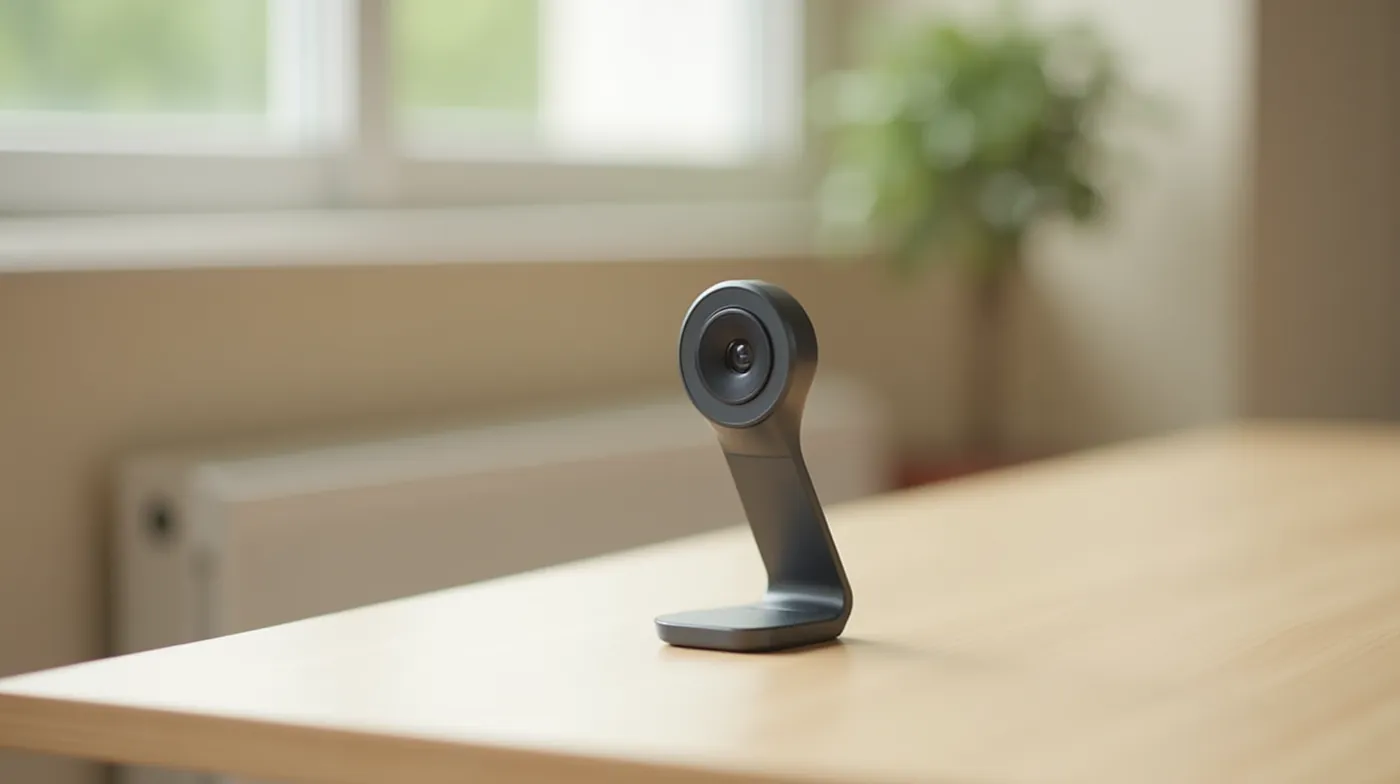
Every webcam in this guide was run through the same one-month gauntlet in a real working home office, not a studio. We connected each camera to a laptop and a desktop, ran back-to-back 45-minute video meetings on Zoom, Google Meet, and Microsoft Teams, and recorded the output in three lighting scenarios: bright window light, mixed office lighting, and a dim room at night with only a desk lamp. That last one is where most webcams fall apart, and it is the condition most freelancers actually meet their clients in.
We evaluated each camera on five weighted criteria: autofocus speed and stability when we moved in and out of frame, color accuracy and skin-tone rendering, low-light clarity without turning the video into digital noise, field of view (how much of you and your desk the frame captures), and built-in microphone quality for those moments when the laptop mic is not enough. We also checked latency, because a laggy camera that trails your movement feels cheap even when the resolution is high. The result is a ranking that reflects what you will actually see on screen during a client call, not what the spec sheet claims.
Our Testing Methodology
We compared all seven cameras side by side over 60+ recorded video-call minutes across three lighting conditions. Pricing and specs reflect US list prices as of October 2026 and were cross-checked against manufacturer spec pages and major tech press reviews.
Best Webcams for Video Calls in 2026 (Comparison Table)
The table below summarizes the seven webcams we recommend for video calls in 2026, ranked by overall value for the price. Use it to quickly find the camera that matches your budget and your use case, then scroll down for the full review of each one.
| Webcam | Resolution | Best For | Price (2026) |
|---|---|---|---|
| Logitech Brio 4K Pro | 4K / 30fps | Best overall | $199 |
| Logitech MX Brio | 4K / 30fps | Best for large rooms | $349 |
| Elgato Facecam | 1080p / 60fps | Best for creators | $129 |
| Razer Kiyo 2 | 1080p / 60fps | Best with built-in light | $99 |
| Logitech C920x | 1080p / 30fps | Best 1080p all-rounder | $70 |
| Anker PowerConf C200 | 1080p / 30fps | Best budget value | $55 |
| Logitech Brio 200 | 1080p / 30fps | Best entry-level 1080p | $50 |
Prices are US list prices as of October 2026 and fluctuate with sales. Resolution shown is the camera’s native maximum at its standard frame rate.
Our Top Webcam Picks, Reviewed
1. Logitech Brio 4K Pro — Best Overall
After a month of daily client meetings on the Brio 4K Pro, it became our default. The 4K sensor downscales beautifully to 1080p, which means your video looks noticeably cleaner and less “compressed” than a native 1080p camera, especially when the meeting platform zooms in. Autofocus locks quickly even when we stood up, grabbed a coffee, and sat back down. Its RightSense low-light feature genuinely saved several evening calls in a dim office without adding the usual grain. For a freelancer who wants one camera that handles everything, this is the pick we would recommend to a paying client without hesitation.
2. Logitech MX Brio — Best for Large Rooms and Teams
The MX Brio is the most expensive camera in this guide, and it earns that price in one specific scenario: you need to cover a wide space. Its wide field of view and sharp 4K image make it the right choice for a shared workspace, a standing desk, or a small team huddle where more than one person is in frame. It also has the best built-in dual mics of the group, which helps if you present in an echo-prone room. If you are a solo freelancer at a single desk, the pricier Brio 4K Pro delivers 90% of the experience for less, so we only recommend the MX Brio when room coverage is a real requirement.
3. Elgato Facecam — Best for Creators and Streamers
If your video calls double as recorded content or streams, the Elgato Facecam is the one we reach for. It runs 1080p at 60 frames per second, which makes movement look far smoother than the 30fps cameras in this list. Its HDR pipeline handles bright windows behind you better than most rivals, so your face stays clear instead of turning into a dark silhouette. The companion app gives precise manual control over exposure and white balance. It is the strongest pick for a freelancer who records webinars, podcasts, or client walkthroughs in addition to live calls.
4. Razer Kiyo 2 — Best With a Built-In Ring Light
The Razer Kiyo 2 solves the single most common problem in home-office video calls: bad lighting. Its integrated ring light is bright enough to fill a dim room with even, flattering light, so you look presentable without buying a separate light and mounting it. That makes it a genuinely good value for a freelancer whose home office does not get reliable window light. The 1080p60 image is crisp, and the built-in light means one device does the job of two. If lighting is your main pain point, this is the fastest fix in the guide.
5. Logitech C920x — Best 1080p All-Rounder
The Logitech C920x is the camera that most freelancers will actually buy, and for good reason. At around $70 it delivers a solid 1080p image, dependable autofocus, and a reliable dual-mic setup that holds up across a full workday of calls. It is not the sharpest or the most feature-packed option here, but it is the most dependable all-rounder at its price. If you want a no-fuss camera that simply works every single day without a premium price tag, the C920x remains the default recommendation.
6. Anker PowerConf C200 — Best Budget Value
For the tightest budget, the Anker PowerConf C200 punches well above its price. At roughly $55 you get a real 1080p image, decent autofocus, and a wider-than-usual field of view that captures a reasonable amount of your workspace. It is the pick for a freelancer who needs a clearly better camera than the one built into their laptop but does not want to spend over a hundred dollars. It will not match a 4K flagship in low light, but for well-lit daytime calls it is an outstanding value.
7. Logitech Brio 200 — Best Entry-Level 1080p
The Logitech Brio 200 is the cheapest credible 1080p webcam in this guide and a great first upgrade from a laptop’s built-in camera. It is compact, mounts easily, and delivers a clean 1080p image in normal lighting. Where it gives up ground is low-light performance and autofocus speed, so it is the right choice if your calls happen in a reasonably bright room and your budget is capped near $50. It is the entry point into a proper video-call camera.
Which Webcam Should You Buy?
Here is how to match the right camera to your actual situation. Use this as a quick decision guide instead of re-reading every review.
- Your budget is under $60: Get the Anker PowerConf C200 for the best value, or the Logitech Brio 200 if you prefer Logitech reliability.
- You want a dependable everyday 1080p camera: The Logitech C920x is the safe, no-fuss choice for a full day of calls.
- Your home office has poor lighting: The Razer Kiyo 2 built-in ring light fixes the problem in one device.
- You record streams, webinars, or client content: The Elgato Facecam 1080p60 smoothness and manual controls are the best for creators.
- You want the best image quality for clients and interviews: The Logitech Brio 4K Pro is our best overall for a reason.
- You need to cover a large room or a small team: The Logitech MX Brio wide angle and dual mics are the right tool.
Pro Tip: Most Freelancers Are Overspending
Meeting platforms cap video at 1080p, so a 4K camera only matters when the platform passes through its downscaled feed. If you are on a budget, a strong 1080p camera like the C920x plus good lighting will beat an expensive 4K model in a dark room. Spend on light first, resolution second.
Webcam Specs That Actually Matter
Marketing on webcams leans hard on resolution, but in our testing the specs that most affect how professional you look are often the ones buried in the fine print. Here is what to prioritize, in the order we weighted them.
1. Autofocus Speed and Stability
The most annoying thing in a video call is a camera that slowly racks focus as you move. Fast, stable autofocus keeps you sharp whether you sit close or lean back. We weighted this heavily because it affects every single frame of every call, not just a few.
2. Low-Light and HDR Performance
Most video calls happen in a mix of window light and room shadow. A camera with good low-light handling or HDR keeps your face visible and evenly lit instead of turning you into a grainy silhouette. This was the single biggest differentiator in our night-test scenarios.
3. Field of View
Too narrow and you are cropped like a passport photo; too wide and you look small with a distracting background. Around 65 to 78 degrees is the sweet spot for a solo presenter. The MX Brio runs wider on purpose for group coverage.
4. Built-In Microphone Quality
A crisp built-in mic matters on the days you forget your headset. Dual microphones with noise reduction hold up far better than a single capsule, which is why the MX Brio and the C920x both use dual mics.
5. Frame Rate (30 vs 60 fps)
30fps is perfectly fine for standard meetings. 60fps, available on the Elgato Facecam and Razer Kiyo 2, makes movement look noticeably smoother and is worth it if you record or stream.
A Note on 4K vs 1080p
A 4K sensor is not automatically a better video-call experience. Because most platforms deliver 1080p, a 4K camera’s main advantage is cleaner downscaled detail and better low-light headroom, not visible extra resolution. For most freelancers, a quality 1080p camera with good lighting outperforms a cheaper 4K model in the dark.
For broader context on how cameras and other gear fit into a wider setup, see the independent reviews we reference in our testing, including CNET’s best webcams guide and TechRadar’s webcam recommendations, which align closely with the autofocus and low-light priorities we tested against.
See Also
A great webcam is only one piece of a professional remote setup. Keep reading these related guides:
- Our complete remote work setup guide for building a productive home office on any budget
- How to get your first Upwork client in 2026, including how a polished video-call presence helps you close
- Upwork success rate in 2026: what counts as good and how to raise it
Frequently Asked Questions
Do I need a 4K webcam for video calls?
No. Most video-call platforms cap their feed at 1080p, so 4K rarely shows up as extra sharpness. A 4K camera’s real benefits are cleaner downscaled detail and better low-light performance. If your budget is limited, invest in a solid 1080p camera and good lighting first.
What is the difference between 1080p and 4K webcams?
A 1080p camera captures roughly 2 million pixels per frame while a 4K camera captures about eight million. In a standard video call the difference is subtle because the platform resizes the feed. You notice 4K most when recording content, zooming in, or calling in dim light where the larger sensor gathers more detail.
Are webcams good enough for streaming?
Yes, if you pick the right model. For streaming and recorded content we recommend the Elgato Facecam for its 1080p60 smoothness and manual controls. If you want top-end detail for a studio setup, the Brio 4K Pro is the better choice.
Which webcam has the best low-light performance?
In our night tests the Logitech Brio 4K Pro held up best thanks to its RightSense low-light processing, followed closely by the Logitech MX Brio. If you would rather solve the problem with light than a bigger sensor, the Razer Kiyo 2 built-in ring light is the cheapest fix.
Do I really need a separate webcam if my laptop has one?
Usually yes. Laptop webcams are built thin to save space, which limits their sensor and low-light performance. A dedicated camera like the Logitech C920x gives you better autofocus, better low-light handling, and a position you can move freely around your desk. For client-facing work the upgrade is worth it.
#Freelance #RemoteWork #BestWebcam #VideoCalls #WorkFromHome #HomeOffice #Logitech #Elgato #Razer #Anker #Productivity #Freelancer #DigitalNomad #HomeOfficeSetup #VideoMeeting